
Society Management Software: A Buying Guide for RWA Committees
What committees should actually evaluate before picking a society management platform — beyond a feature list — including data ownership, onboarding effort, and what happens if you switch later.
Why picking society management software is harder than comparing feature lists
Most committees start evaluating society management software the same way: someone shares a demo link, a few members compare screenshots, and the decision comes down to whichever app looks the most polished on a phone. Feature lists across these platforms tend to look similar on the surface — visitor entry, billing, notices, complaints — so the real differences usually show up only after onboarding, when a committee discovers what was actually included, what needs a separate add-on, and how hard it is to get their own data out if they ever want to switch.
Start with what your society actually needs, not what's popular
Before comparing platforms, a committee should agree on its own priorities. A society mainly focused on gate security cares about different things than one struggling with maintenance collection or complaint backlogs. Write down the two or three problems the software actually needs to solve this year, then evaluate against that list rather than a generic "best of" ranking, since a platform that is a great fit for a 1,200-flat township is not automatically the right fit for a 60-flat community.
Core modules to check beyond the marketing page
- **Accounting and billing**: automated invoice generation matching your society's actual billing model (flat rate, per sq ft, or slab-based), UPI/card/net banking collection reconciled against each flat's ledger, and audit-ready reports for AGMs
- **Visitor and gate security**: resident pre-approvals, guard-side entry logging, and separate workflows for guests, deliveries, cabs, and domestic staff
- **Communication**: targeted notices by tower or block, polls, and event scheduling that don't depend on a WhatsApp group everyone eventually mutes
- **Complaints and facility booking**: a trackable status for every complaint raised, and a calendar-based booking flow for shared amenities that prevents double-booking
- **Reporting**: exportable, filterable financial and operational reports a treasurer or auditor can actually use, not just dashboards meant for screenshots
Questions that matter more than the feature list
- Is pricing genuinely all-inclusive, or do payment gateway fees, SMS/WhatsApp notifications, or additional admin seats get billed separately later
- How long does onboarding actually take, and does the vendor help migrate existing resident, billing, and vehicle records, or does the committee have to re-enter everything by hand
- Who owns the data your society enters, and can the committee export a full, usable copy of resident records, billing history, and logs at any time
- What happens if the society wants to switch vendors later — is there a defined export process, or does years of history stay locked in one platform
- Is there a real support channel for guards and elderly residents who are not comfortable with apps, not just an in-app chatbot
Common mistakes committees make
- Choosing based on a single impressive demo screen instead of testing the actual day-to-day workflow a guard or treasurer will use
- Skipping a reference check with another society of a similar size already using the platform
- Assuming the cheapest quoted plan covers everything, without asking what triggers an upsell later
- Not confirming data export rights before signing, which turns a future switch into a renegotiation from a position of no leverage
How MySocietyEntry helps
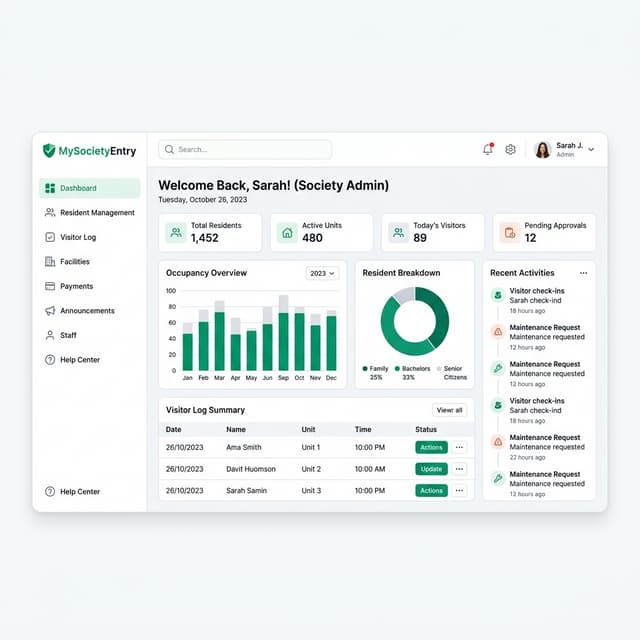
MySocietyEntry brings accounting, visitor and gate security, communication, complaints, and facility booking onto one connected platform, so a committee is not stitching together separate tools for billing and security. Resident, billing, and vehicle records stay with the society's own data rather than scattered logins, and reporting is built to be exported and shared with auditors and committees directly, not locked behind a dashboard-only view.
Final takeaway
The right society management software is less about which platform has the longest feature list and more about which one matches your society's actual size, priorities, and comfort with technology — and which one leaves your data usable if you ever decide to move on. A short internal checklist covering modules, real all-in pricing, onboarding effort, and data ownership will tell a committee more in an afternoon than another round of demo calls.
See It In Action
Explore Society Management Software
MySocietyEntry helps committees turn guidance like this into a working process instead of another spreadsheet.
Society Management Software